
Robots.txt for WordPress: Technical Guide to Directives, Rules, and Best Practices
The robots.txt file is a fundamental technical component of SEO and crawler management. While often treated as a simple configuration file, it plays a critical role in how search engines and automated bots interact with a website.
This guide explains how robots.txt works, the main directives, how search engines interpret them, and best practices for using robots.txt safely and effectively on WordPress websites.
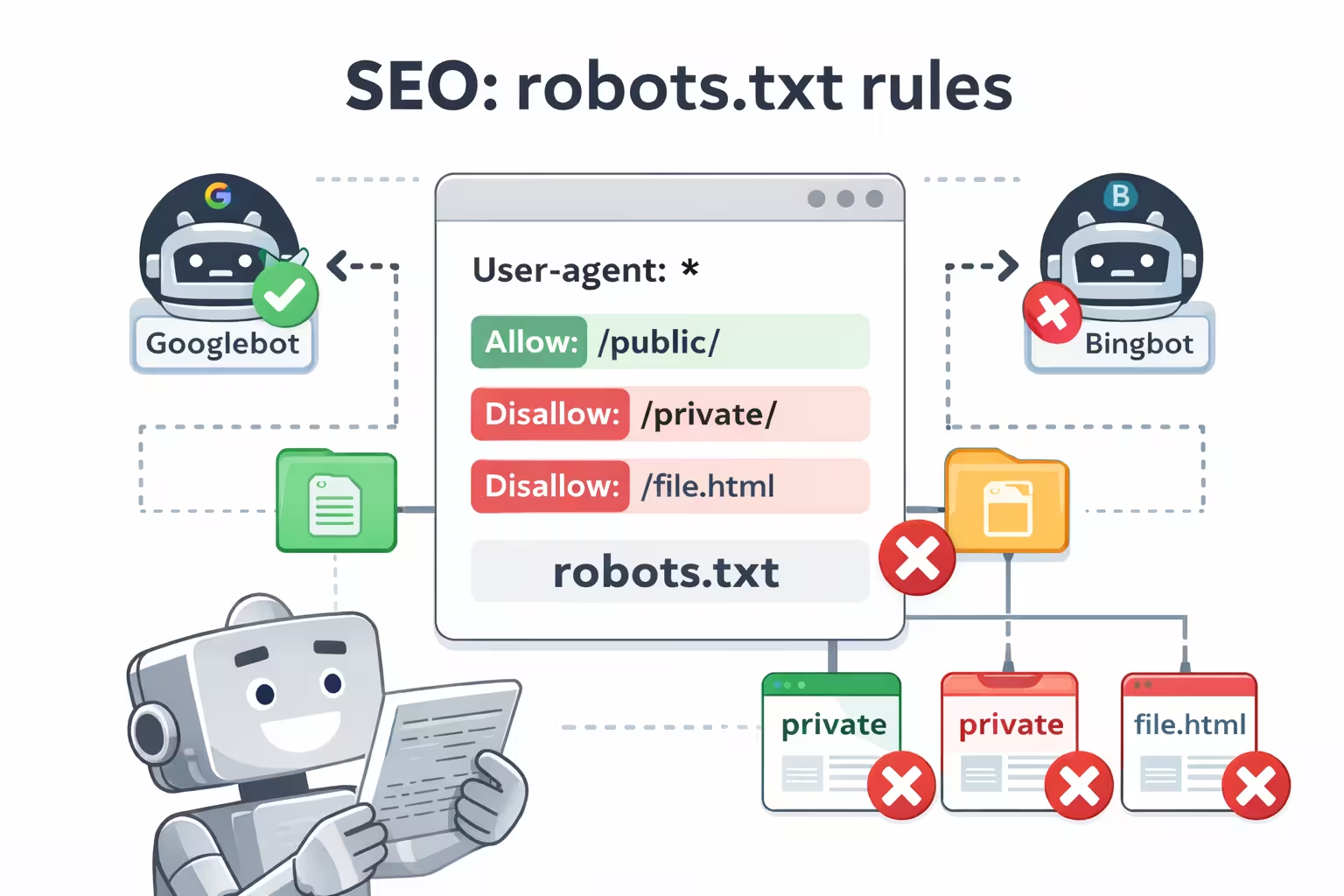
WordPress’ Built-in Dynamic robots.txt: How It Works
Since WordPress 5.3, WordPress automatically generates a virtual robots.txt if no physical robots.txt exists in the site root. This file is generated dynamically via PHP and is accessible at:
https://example.com/robots.txtDefault Content
1 User-agent: * 2 Disallow: /wp-admin/ 3 Allow: /wp-admin/admin-ajax.php
What It Does
- Provides minimal protection by default
- Prevents crawling of the admin area
- Works without any configuration
What It Does Not Do
- Cannot control crawling of dynamic URLs with query parameters
- Cannot manage tags, archives, or pagination URLs
- Cannot block non-standard or aggressive bots
- No UI for editing, versioning, or auditing
- No advanced customization
Core robots.txt Directives
User-agent
Specifies which crawler the rules apply to:
User-agent: GooglebotTarget all crawlers:
User-agent: *Disallow
Blocks crawlers from specific paths:
User-agent: *
Disallow: /wp-admin/
Allow
Allows crawling of specific paths even if a parent directory is disallowed:
User-agent: *
Disallow: /wp-admin/
Allow: /wp-admin/admin-ajax.php
Pattern Matching and Wildcards
Wildcard (*) matches any sequence of characters:
Disallow: /*?*End-of-line ($) matches the end of a URL:
Disallow: /*.pdf$Crawl-delay (Use with Caution)
User-agent: Bingbot
Crawl-delay: 10
Google ignores this directive; only some crawlers respect it.
Sitemap Directive
Sitemap: https://www.example.com/sitemap.xmlThe following example shows a balanced and commonly used robots.txt configuration for a WordPress website. It blocks unnecessary areas, allows essential functionality, and provides search engines with sitemap information.
A Well-Structured robots.txt for a WordPress Site
1 User-agent: * 2 Disallow: /wp-admin/ 3 Disallow: /wp-login.php 4 Disallow: /?s= 5 Disallow: /*?replytocom= 6 7 Allow: /wp-admin/admin-ajax.php 8 9 Sitemap: https://www.example.com/sitemap.xml
Explanation of the Rules
-
User-agent: *
Applies the rules to all crawlers. -
Disallow: /wp-admin/
Prevents crawling of the WordPress admin area. -
Disallow: /wp-login.php
Blocks the login page, which provides no SEO value. -
Disallow: /?s=
Prevents crawling of internal search result pages. -
Disallow: /*?replytocom=
Blocks comment reply URLs that can generate duplicate content. -
Allow: /wp-admin/admin-ajax.php
Ensures AJAX functionality remains accessible to crawlers. -
Sitemap directive
Helps search engines discover important URLs efficiently.
This setup keeps crawler access focused on valuable content while avoiding common crawl traps and unnecessary URLs generated by WordPress.
Stay Updated with Wpzone
Get the latest news!
Subscribe to our newsletter and be the first to know about new features, updates, and exclusive offers for our taxi booking app.
We respect your privacy. Unsubscribe at any time.
When Default robots.txt Isn’t Enough
- Sites with many dynamic URLs
- Faceted navigation or eCommerce sites
- Need to block specific bots
- Staging or test environments
- Require predictable and auditable crawler control
In these cases, a custom robots.txt file is necessary.
Cons of Not Using robots.txt
Leaving crawler behavior unmanaged
Uncontrolled crawling
Search engines and bots may crawl every accessible URL, including low-value, duplicate, or auto-generated pages.
Wasted crawl budget and resources
Important pages may be discovered less efficiently while server resources are consumed by unnecessary bot activity.
Pros of Using robots.txt
Guiding crawlers with clear rules
Efficient crawl management
Directs search engines toward valuable content while avoiding sections that do not contribute to SEO.
Better use of server resources
Reduces unnecessary crawling, helping improve performance and overall site stability.
Conclusion
The robots.txt file is a simple but powerful tool for managing how search engines
and automated bots interact with a website. When used correctly, it helps guide crawlers
toward valuable content while reducing unnecessary crawling and resource usage.
At the same time, robots.txt requires careful handling. Incorrect or overly aggressive rules can unintentionally block important pages and negatively affect search visibility. For this reason, it should be used with a clear understanding of its purpose and limitations.
For WordPress sites, robots.txt works best as part of a broader SEO and site management strategy, complementing indexing controls such as meta robots tags and sitemaps. Clear, predictable rules and regular reviews help ensure that crawler behavior remains aligned with your site’s goals.
Key Takeaways
- Robots.txt controls crawling, not indexing.
- WordPress includes a basic dynamic robots.txt
- Proper configuration improves crawl efficiency
- Misconfiguration can harm search visibility
- Robots.txt works best as part of a broader SEO strategy
WPZone Robots
Easily manage and customize your WordPress robots.txt. Simple control for search engine crawlers.