WPZone notifications
Remove dashboard clutter in seconds.
Hide WordPress admin notices, update nags, and plugin promos while keeping critical errors visible.
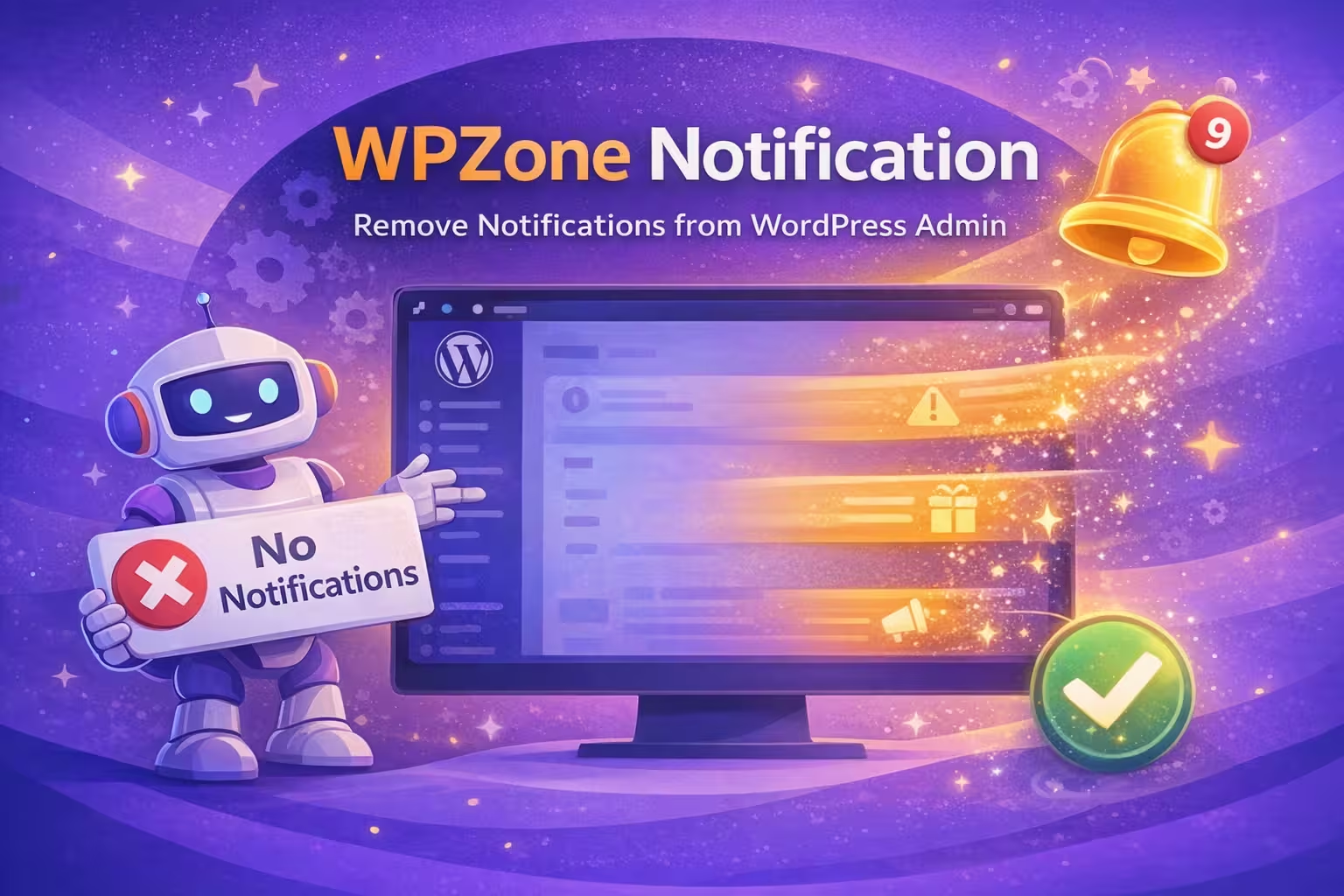
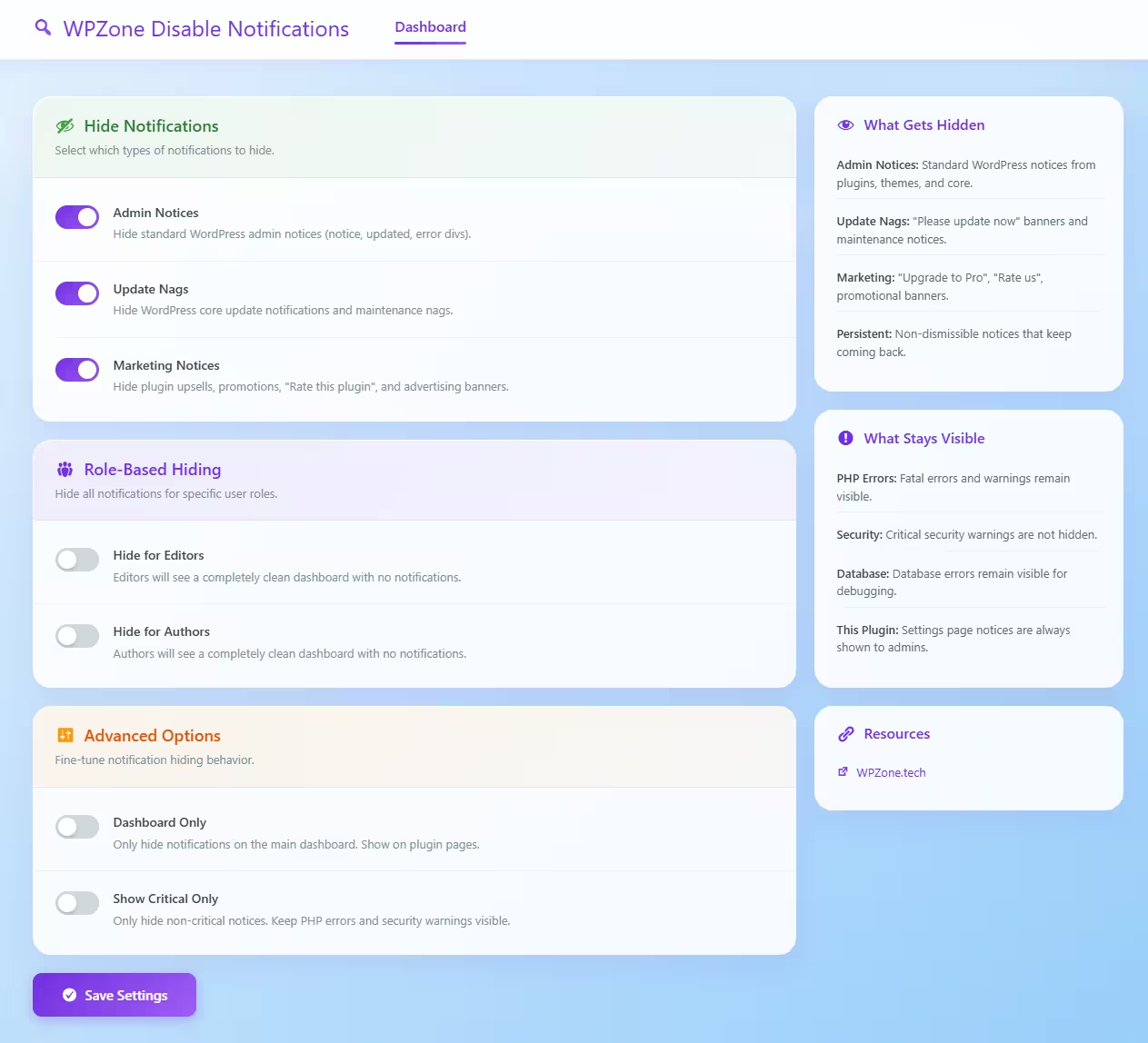
WPZone Disable Notifications gives you full control over what shows up in your WordPress admin.
Instead of a wall of banners like “Please update now”, “Upgrade to Pro”, “Rate us”, and persistent setup prompts.this lightweight mini plugin lets you hide the noise with simple toggles.
Best of all: critical system messages like PHP errors, database errors, and security warnings remain visible to keep your site safe.

Features
- Hide Admin Notices (plugin/theme/core notices)
- Hide Update Nags (core updates, maintenance prompts)
- Hide Marketing Notices (upsells, review asks, promos, newsletters)
- Role-based hiding for Editors/Authors (distraction-free workspace)
- Dashboard-only mode (optional)
- Show critical only mode (hide nags/promos, keep error-level notices)
Why a dedicated WordPress notification plugin?
Many sites end up with a cluttered admin—especially after installing page builders, SEO tools, security plugins, and WooCommerce extensions.
WPZone Disable Notifications is built for a clean dashboard without bloat, complexity, or breaking important alerts.
- •Fewer distractions = faster admin workflow
- •Cleaner experience for clients, editors, and content teams
- •Role-based control for non-technical users
- •Lightweight mini plugin (no suite, no bloat)
Key idea
WPZone Disable Notifications does one thing: keeps your dashboard clean.
It removes nags and promos while preserving critical warnings for safety.
Default WordPress Dashboard
Cluttered & distracting
Admin notice overload
Plugin/theme/core notices stack up and interrupt your workflow
Update nags everywhere
Persistent banners push updates and maintenance prompts
Marketing in admin
Upsells, review asks, newsletters, and promo banners
Confusing for editors
Non-technical users waste time dismissing irrelevant messages
WPZone Disable Notifications
Clean & focused
Toggle-based control
Hide admin notices, update nags, and marketing with simple switches
Dual-layer blocking
Stops notices server-side and catches leftovers with smart CSS patterns
Role-based dashboard
Give Editors/Authors a distraction-free workspace while admins stay in control
Critical alerts stay visible
PHP errors, database issues, and critical security warnings are never hidden
WPZone Disable Notifications improves admin usability without risking safety.
Hide noise and promos while keeping critical error/security signals visible—so you stay productive and protected.
Who is WPZone Disable Notifications for?
- Agencies delivering clean dashboards to clients
- Site owners tired of admin notice clutter
- Editors & content teams who need focus
- WooCommerce, Elementor, SEO & security plugin users
You may not need it if:
You rarely log into wp-admin, or you don’t mind constantly dismissing notices and promotional banners.
Why a clean WordPress dashboard matters
Faster workflow
Stop losing time closing banners and hunting for the real message. A clean admin reduces friction and keeps you in flow.
Better client experience
Clients and editors don’t need upgrade ads and plugin promos. Give them a simple, professional admin that feels polished.
Safer visibility
The plugin keeps critical alerts visible—so you still see real problems like PHP errors, database issues, and important security warnings.
WPZone Disable Notifications FAQ
What does WPZone Disable Notifications do?
It hides non-essential WordPress admin notifications such as plugin/theme notices, update nags, and marketing banners—so your dashboard stays clean and focused.
Will it hide important security warnings or errors?
No. Critical alerts like PHP errors, database connection issues, and important security warnings are designed to remain visible.
Can I hide notifications only for Editors or Authors?
Yes. You can enable role-based hiding to give Editors/Authors a distraction-free admin while keeping full visibility for Administrators.
Does it slow down my site?
No. It’s a lightweight mini plugin that uses a dual-layer approach (server-side + CSS) to prevent unwanted notices from rendering.
Is it included in the WPZone Unlimited License?
Yes. WPZone Disable Notifications is part of the WPZone bundle—Unlimited License includes all current and future WPZone mini plugins with a one-time payment.